
Capture with intention
Select exactly what matters. Remember This preserves the image, recognized text, source, and useful context in one private memory.
Native for macOS
Turn deliberate screenshots into private, searchable memories—then find, understand, and act on them when they matter.
Requires macOS 15.2 or later · Apple silicon and Intel

A better screenshot workflow
Every capture becomes a useful record—not another forgotten file on your desktop.
Select exactly what matters. Remember This preserves the image, recognized text, source, and useful context in one private memory.
Search titles, summaries, recognized text, source details, dates, and collections without digging through folders of screenshots.
Copy text, reopen a source, call a number, draft an email, open an address in Maps, add a reminder, or export a memory.
Your visual memory library
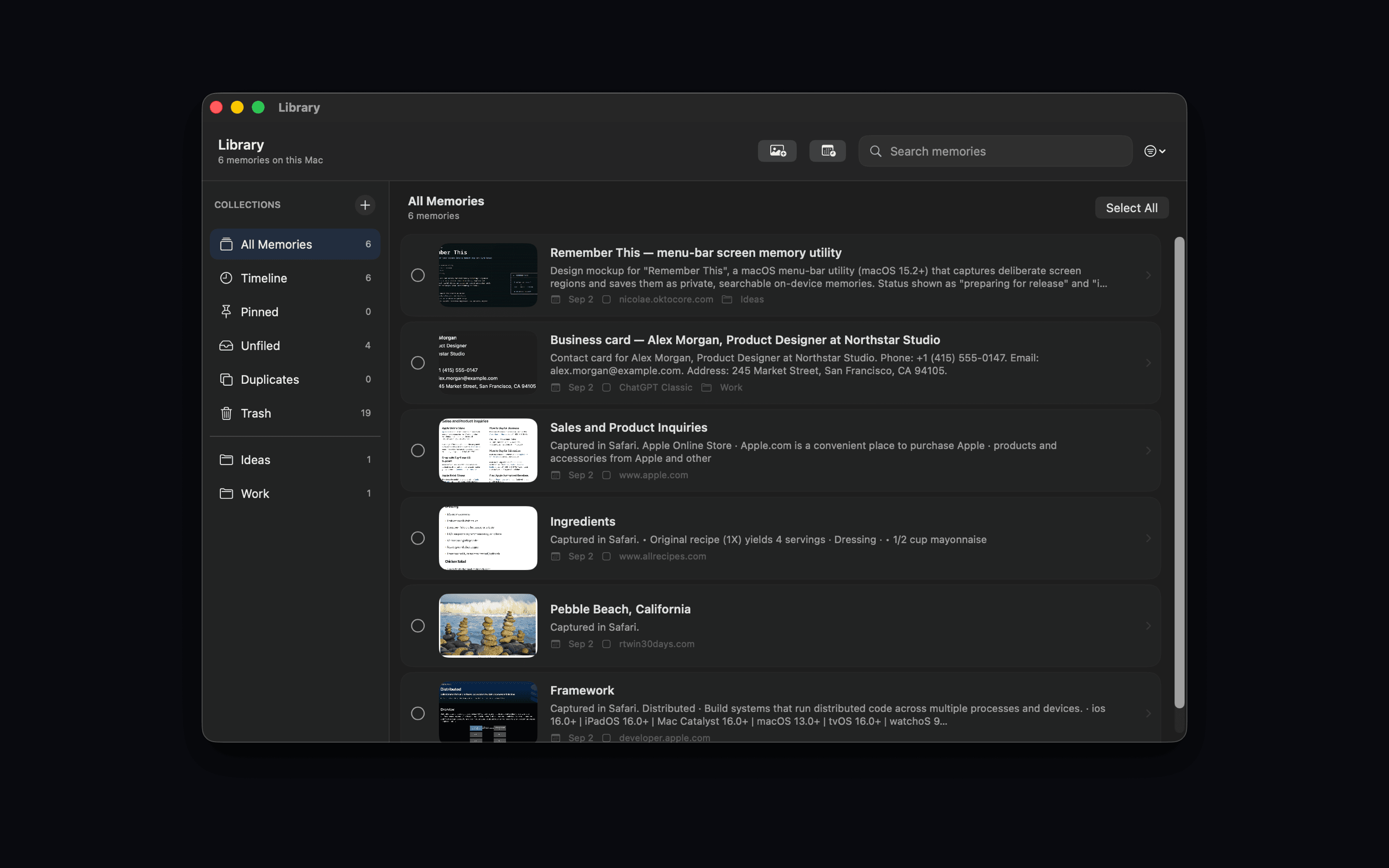
Browse collections, revisit a timeline, pin important captures, find duplicates, and recover recently deleted memories.
Context when you need it
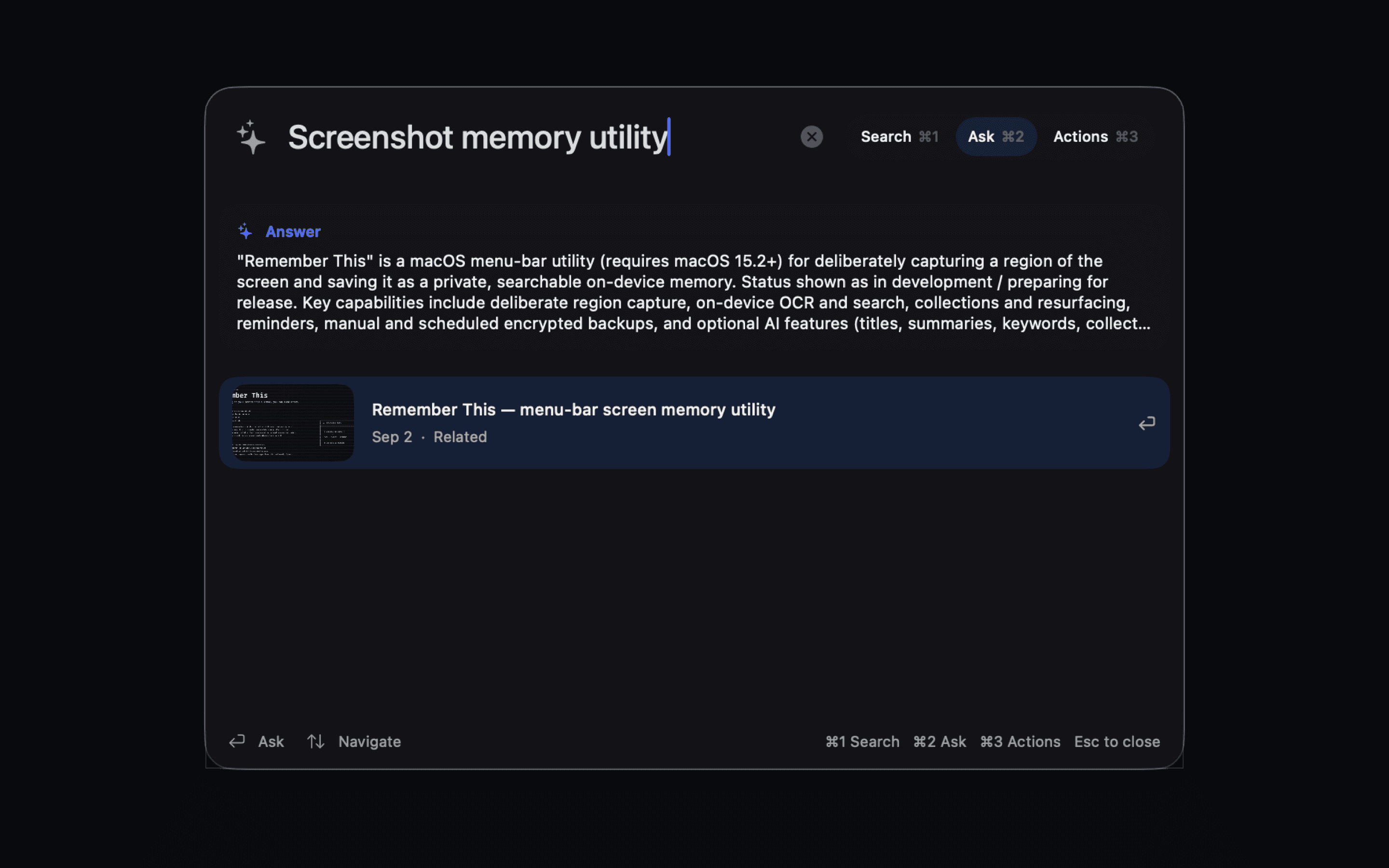
Pro can answer questions using the captures you saved, while keeping every answer grounded in the memories that support it.

Remember This is coming soon to the Mac App Store.
Questions? Get in touch